The Dashboard
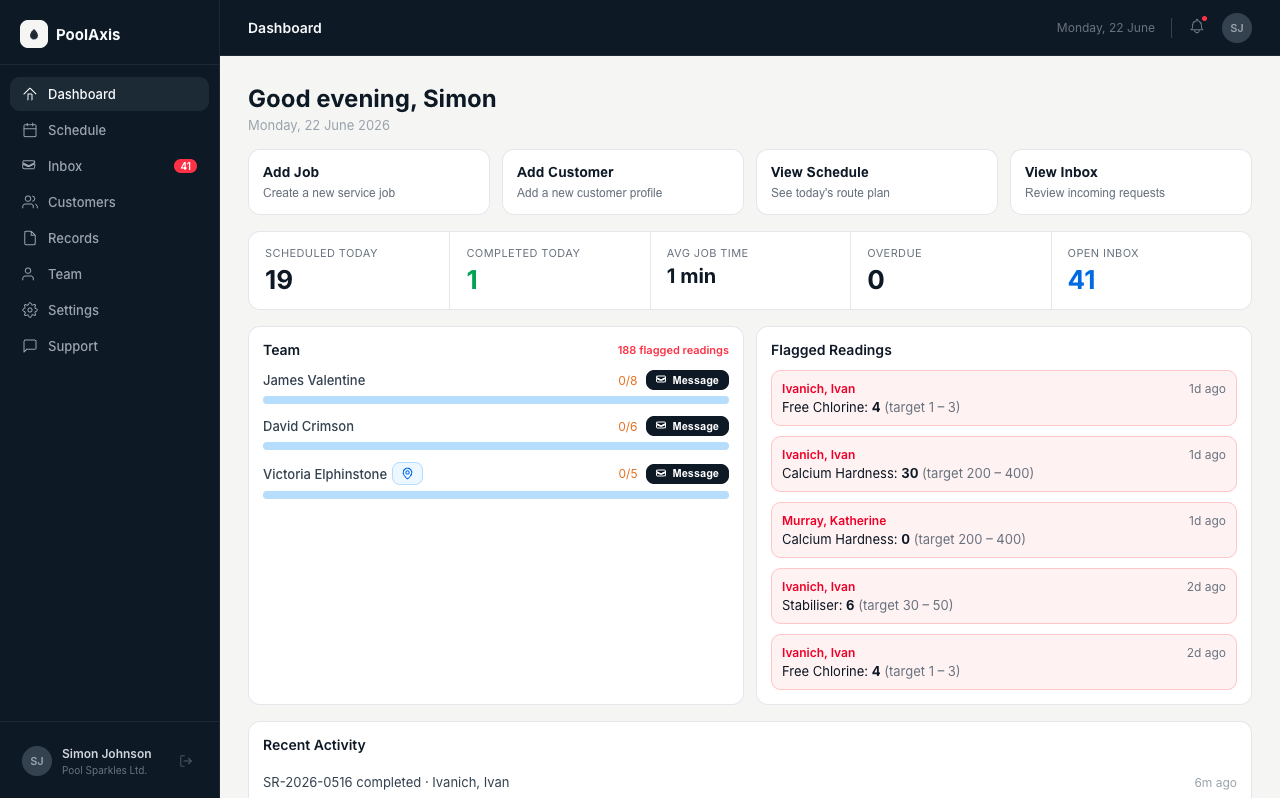
The dashboard is your real-time view of the day — team progress, live locations, flagged water quality issues, and quick access to common actions.
Quick actions
Four buttons appear at the top of the dashboard: Add Job, Add Customer, View Schedule, and View Inbox. These are shortcuts to the actions you use most often, so you can get there without navigating the sidebar.
Stats bar
Across the top of the dashboard, five live numbers give you an immediate read on the day:
- Scheduled Today — total jobs planned for today.
- Completed Today — jobs finished so far, shown in green.
- Average Job Time — mean duration of completed jobs today.
- Overdue — jobs that are past their scheduled time and still pending, shown in amber if any are outstanding.
- Open Inbox — unread messages or requests in your inbox.
Team Progress
Each technician on today's schedule appears as a card with a progress bar showing jobs completed versus jobs assigned. Carried-over jobs from previous days are counted separately so you can see both today's workload and any backlog at a glance.
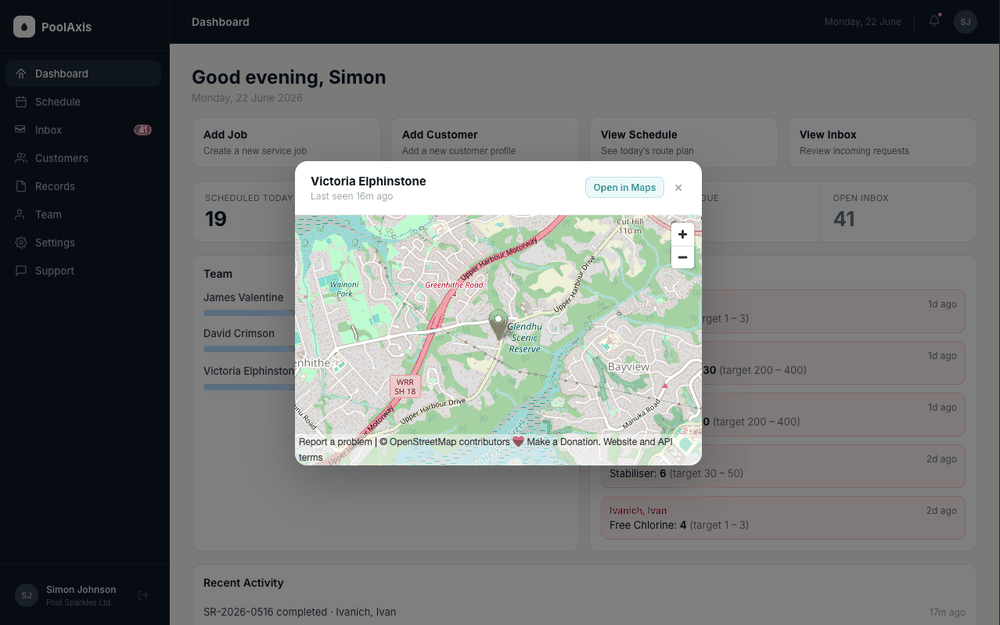
Each technician card has two action buttons:
- Message button — send a push notification or in-app message to that technician directly from the dashboard, without leaving the page.
- Location pin button — opens a map showing the technician's current GPS location. Tap Open in Maps to get directions to them. Location updates every 2 minutes.
Flagged Readings
Shows the most recent flagged reading from each pool, up to 5 pools. Each entry shows the pool name, which parameter was flagged, the recorded value, and the target range. Click any entry to open the full service record and take action.
Recent Activity
A timeline of the last 8 completed service records. A red flag icon (⚑) appears on any record where readings were flagged. Click any entry to open the full record.
Outage banner
If the PoolAxis service is temporarily unavailable, a yellow banner appears at the top of the dashboard: "Service temporarily unavailable — avoid making schedule changes until it's restored."
Technicians in the field can still work and complete jobs in offline mode — their data will sync automatically when the service resumes. See Service Reports for how records appear once synced.