Working Offline
The PoolAxis app keeps working even when you lose mobile coverage. Readings, notes, photos, and job completions are saved locally on your phone and sync automatically when signal returns.
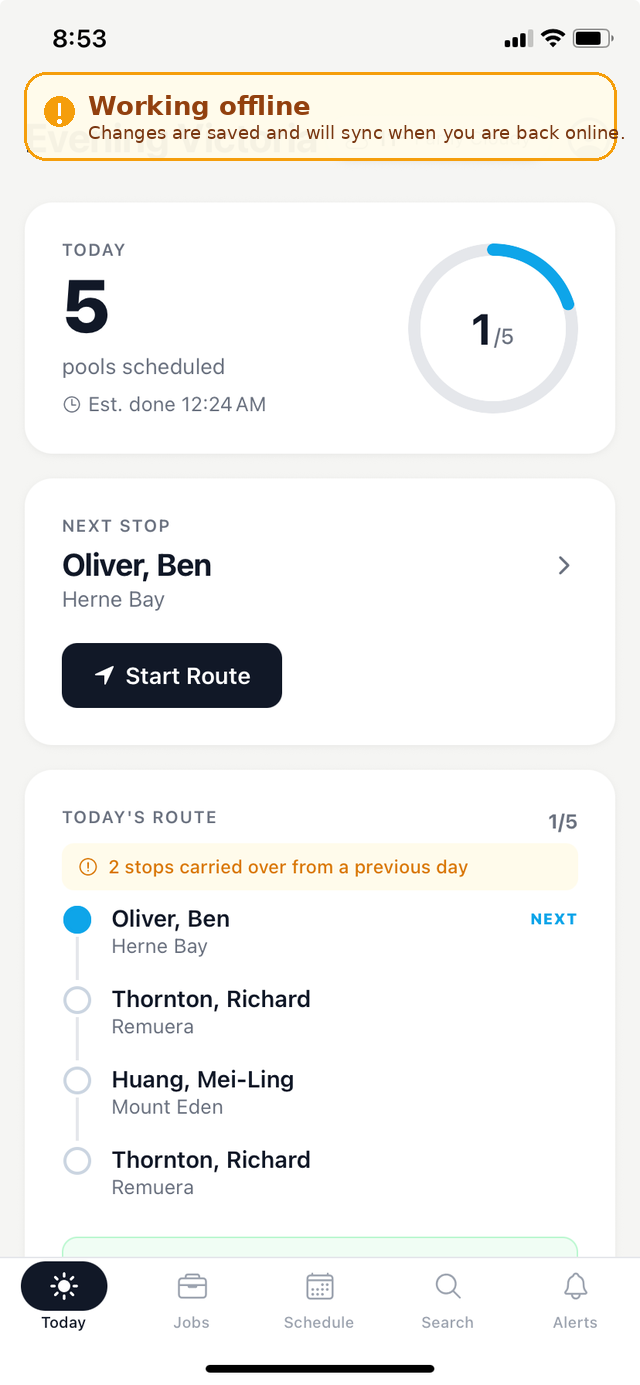
What happens when you go offline
- The app detects the lost connection and shows a sync banner at the top of the screen to let you know you are working offline.
- You can continue working normally — start jobs, enter readings, add notes, take photos, and complete jobs.
- Everything is saved on your device until a connection is available.
When you're back online
- The app detects the restored connection and begins syncing automatically — no action needed on your part.
- The sync banner disappears once everything has been uploaded successfully.
- You can also tap the sync button to trigger an immediate sync if you want to confirm your data has been sent.
Your data is safe
The offline queue survives app restarts. If you close the app or your phone restarts while you are offline, all queued work is preserved and will sync the next time a connection is available. Nothing is lost.
Common scenarios
Offline mode handles situations like:
- Servicing pools in areas with poor mobile coverage, such as rural properties or basement plant rooms.
- Moving in and out of coverage during a day's run — the app switches between online and offline seamlessly.
- Phone reception dropping mid-job — complete the job as normal and it will sync when signal returns.