Service History
The History tab in Poolside shows a complete record of every service visit on your pool, from the most recent all the way back to when you joined.
Viewing your history
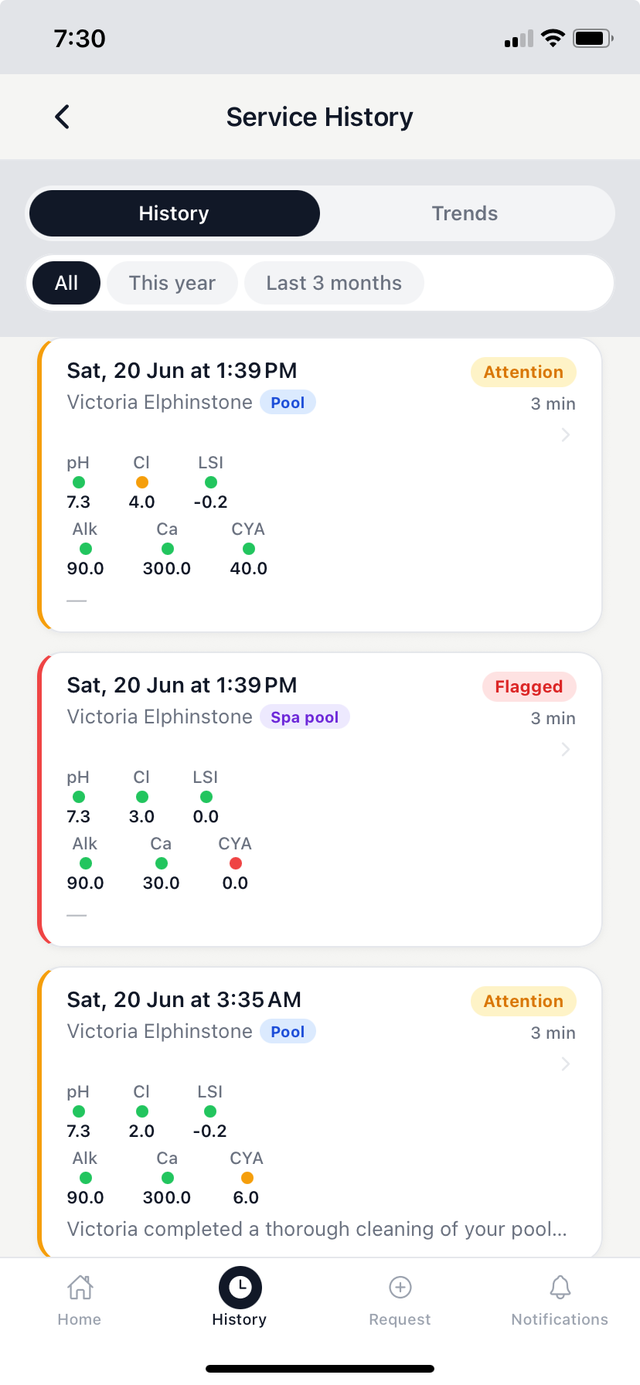
Tap the History tab at the bottom of the Poolside app. Your visits are listed in reverse chronological order — most recent at the top.
Each entry in the list shows:
- The date of the visit.
- The technician who serviced your pool.
- A summary indicator — green if all readings were in range, amber or red if any were borderline or flagged.
Opening a report
Tap any visit in the list to open the full service report. See Reading a Service Report for a full explanation of what's included.
Filtering your history
Tap the filter pills at the top of the History tab to narrow the list: All, This year, or Last 3 months.
Trends view
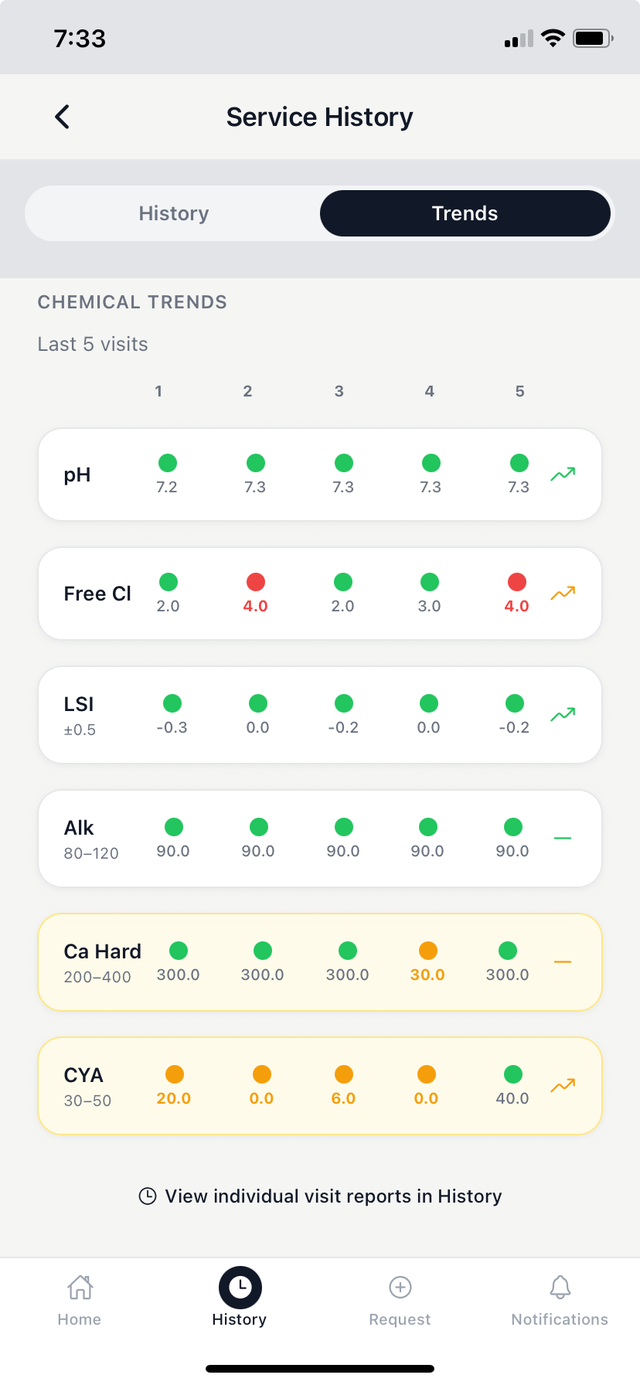
Tap Trends (next to History at the top of the tab) to see a chemical summary across your last five service visits. Each reading is shown with colour-coded dots — green for in range, amber or red for out of range — and a trend arrow showing whether the value is rising, falling, or stable. Tap any dot to open the full service report for that visit.