Starting and optimising your route
PoolAxis gives you two ways to launch navigation and one way to reorder your stops for a shorter drive.
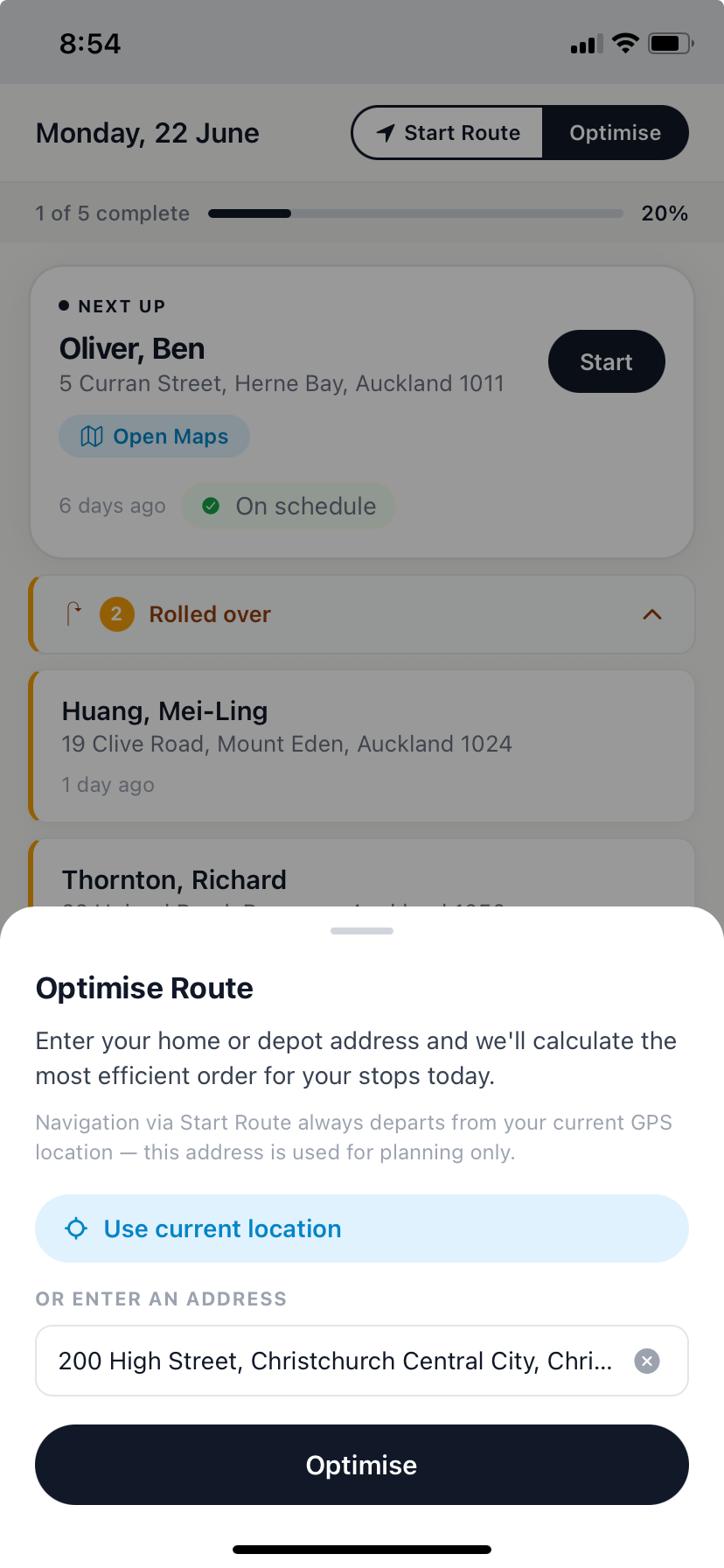
Start Route — launch navigation for the whole day
- Open the Today tab.
- Tap Start Route at the bottom of the screen.
- Apple Maps (iPhone) or Google Maps (Android) opens with all of today's stops loaded as a multi-stop route, in run sheet order.
Tap Start Route again at any point during the day and it will pick up from where you are.
Open Maps — navigate to one stop
In the Jobs tab, every job card has an Open Maps button. Tap it to get directions to that single stop without changing anything else.
Optimise — reorder for the shortest drive
- Open the Jobs tab.
- Tap Optimise.
- Choose a starting point:
- Current location — uses your GPS position right now.
- Custom address — type in an address. Useful if you're planning the night before or starting from a depot.
- Tap Confirm.
Your job list reorders for the most efficient drive. You can then tap Start Route from the Today tab to begin navigating the optimised order.
Note
Optimising reorders your run on screen and your admin can see the updated order. If your admin has already optimised the route for the day, you'll see their order when you open the app.